使用节流函数防止重复点击
react里面写防抖和节流函数
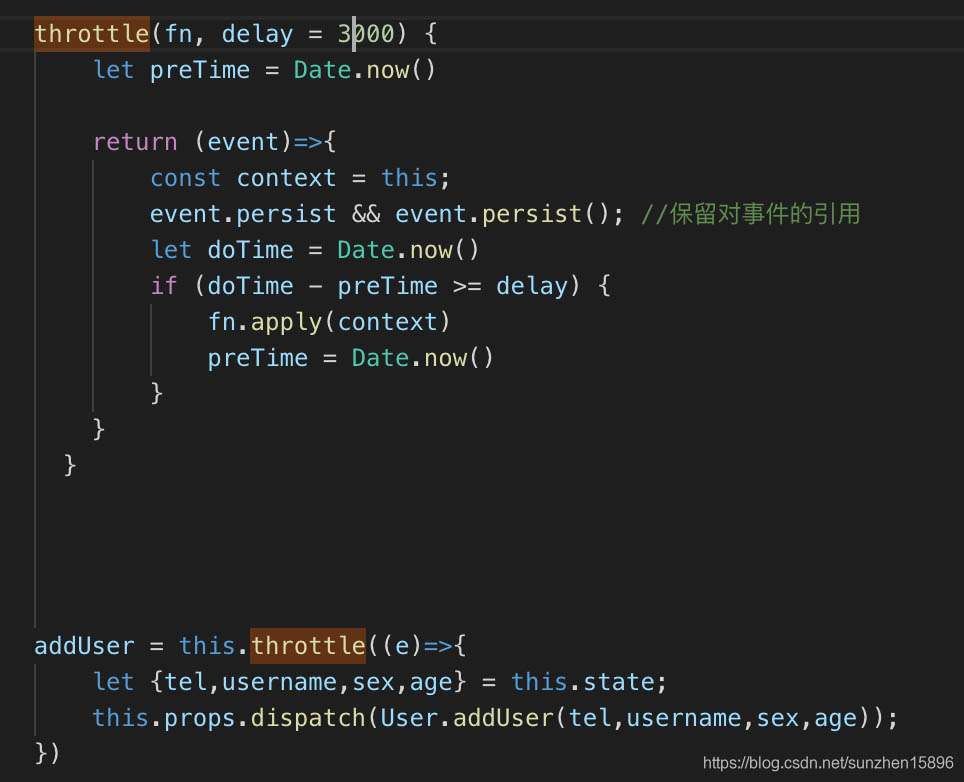
节流函数利用闭包来设置定时器,节流函数3s内只能点击一次,点击后立即触发,重复点击无效,必须等3s之后才能点击第二次
节流函数:
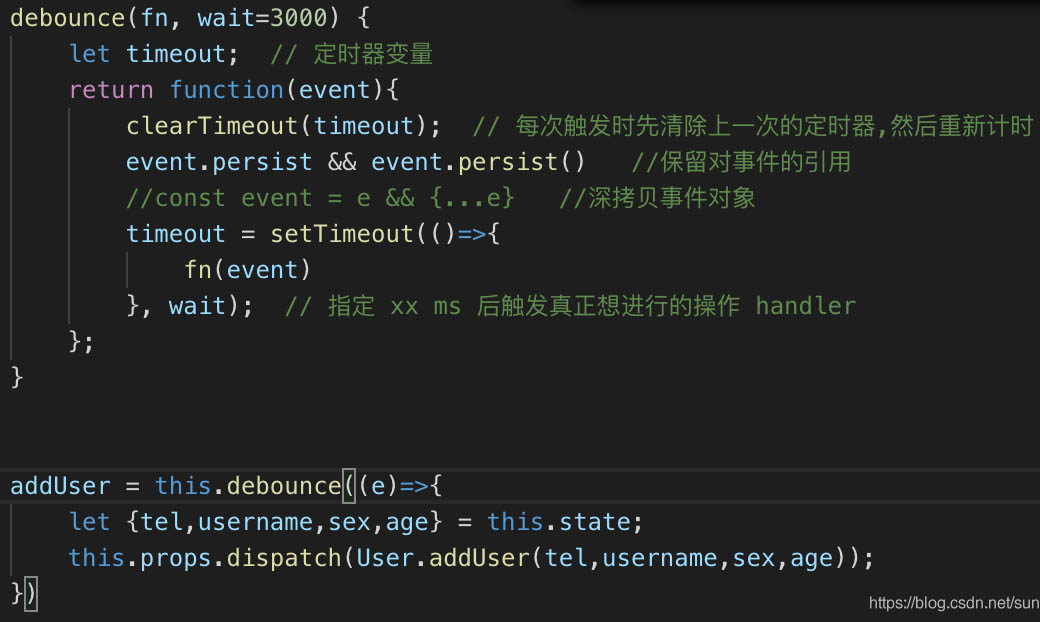
防抖函数:
防抖函数3s之后出结果,重复点击无效,如果重复点击了,重新计算3s时间,从点击的时刻算起,必须等待3s时间触发事件
建议直接使用lodash的throttle和debounce方法
import * as _ from 'lodash';
_.throttle(()=>{
	console.log("throttle");
}, 100);
_.debounce(()=> {
  console.log("debounce");
}, 2000
react防抖和节流
定义
- 节流: 一段时间内只运行一次,若在这段时间内重复触发,只有第一次生效
- 防抖: 一段时间后在执行该事件,若在这段时间内被重复触发,则重新计时
节流一般用在按钮上,防抖一般用在搜索上
节流
// 这个是点第一次的时候立即生效,接下来在一定时间内再点就不生效了,直到这段时间过去
function throttle (fn, delay) {
    let flag = true;
    return function () {
        if(flag){
            flag = false;
            fn();
            setTimeout(() => {
                flag = true;
            }, delay);
        }
    }
}
// 这个是点第一次的时候不生效,直到这段时间过去无论点了多少次只有一次生效
function throttle (fn, delay) {
    let flag = true;
    return function () {
        if(flag){
            flag = false; // 这个放在上面还是下面应该都可以
            setTimeout(() => {
                fn();
                flag = true;
            }, delay);
        }
    }
}
防抖
// 一段时间后执行某段代码,如果在这段时间之内再次点击了,会清除当前的定时器,重新开一个定时器
// 直到时间结束这段代码被执行,不然会一直重复这个过程,这段代码一直不会被执行
function debounce(fn, delay){
    let timer = null;
    return function(){
        clearTimeout(timer);
        timer = setTimeout(()=> {
            fn();
        }, delay)
    }
}
react封装好的防抖和节流
第三方函数工具库:lodash
安装:npm i lodash
引入:import _ from 'lodash'
// 防抖  反复触发执行最后一次 //使用useCallback防止debounce失效
  const debounce = _.debounce;
  const getSuggestion = useCallback(
    debounce((val: string, type: boolean) => {
      type ? message.success(val) : message.warning(val);
    }, 300),
    [],
);
// 节流
const throttle = _.throttle;
const getSuggestion =
throttle((val: string, type: boolean) => {
    type ? message.success(val) : message.warning(val);
}, 300);