npm install或run时一些报错的解决
第一个
npm ERR! Object for dependency "fsevents" is empty.

解决方法:删除根目录 package-lock.json 文件
第二个
fatal: unable to access 'https://github.com/nhn/raphael.git/': OpenSSL SSL_read: Connection was reset

错误原因:网络原因github访问不到
解决方法:
1. 重试或者用梯子
2. 使用淘宝镜像:
npm install --registry=https://registry.npm.taobao.org
第三个
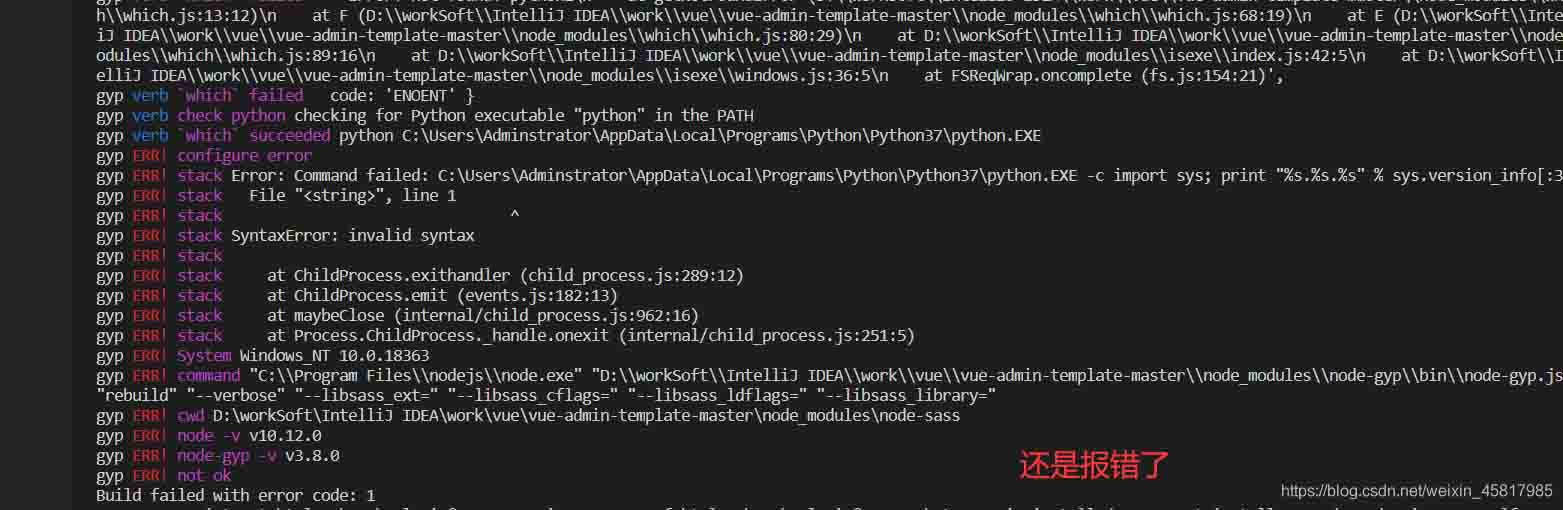
Error: Can't find Python executable "python", you can set the PYTHON env variable.
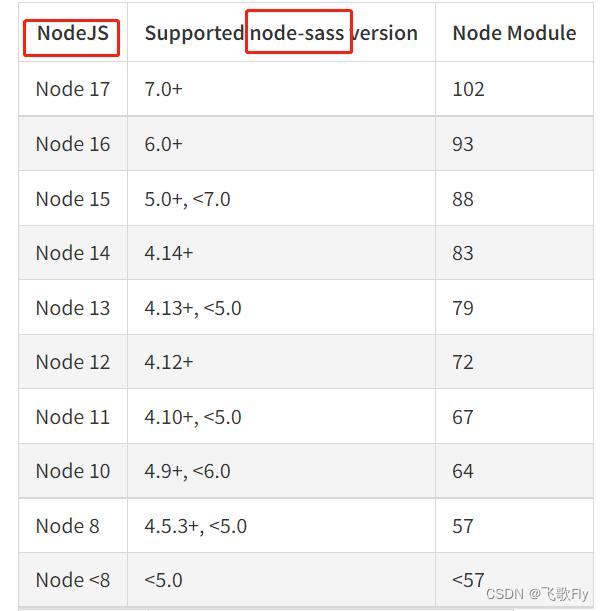
错误原因:node-sass或者sass-loader版本与node.js版本不兼容
解决方法:
保证node.js和node-sass模块版本匹配,改变node-sass后,对应sass-loader版本也要改
第四个
MSBUILD : error MSB3428: 未能加载 Visual C++ 组件“VCBuild.exe
错误原因:缺少windows构建插件
解决方法:
在命令行工具中运行npm install –global –production windows-build-tools (全局安装windows构建工具),然后重新打开终端install。
第五个
npm run时
error:03000086:digital envelope routines::initialization error
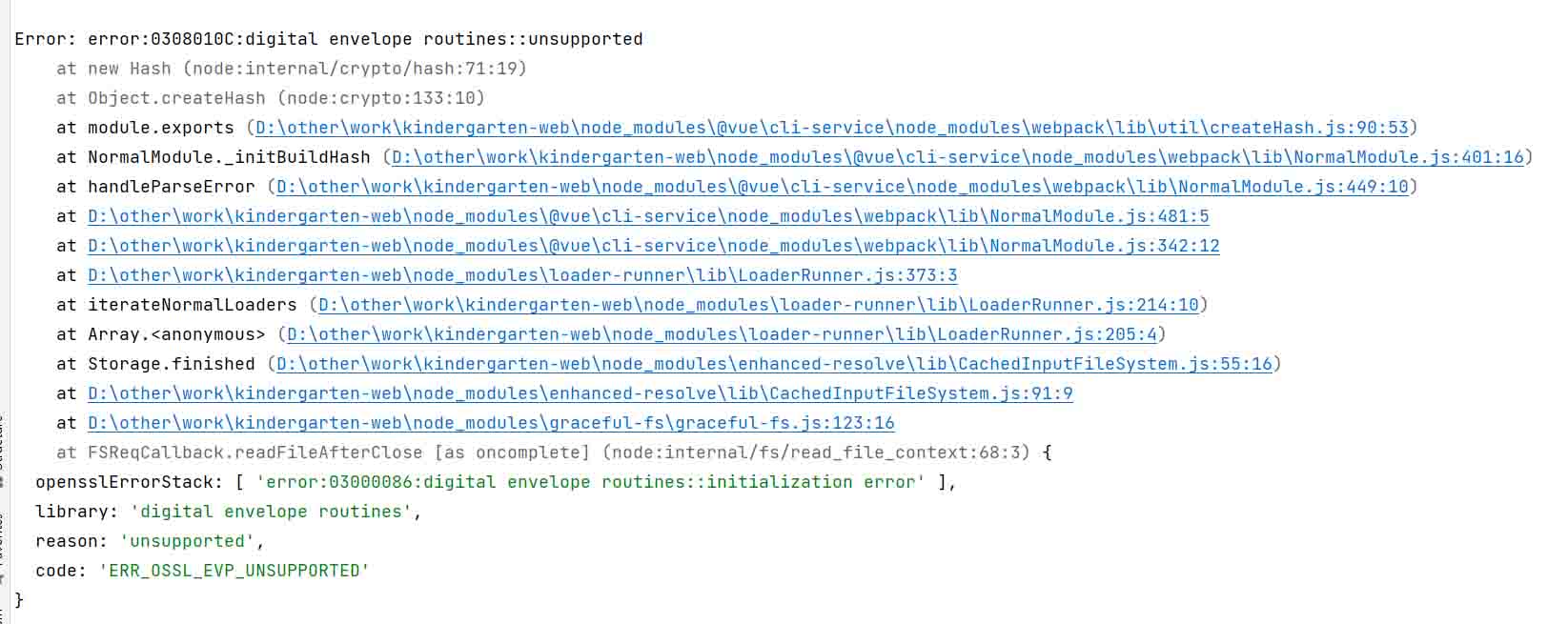
错误原因:node.js版本大于等于17时使用了OpenSSL3.0,其对允许算法和密钥大小增加了严格的限制
解决方法:
使用低于17版本的node.js或者在命令行设置 set NODE_OPTIONS=--openssl-legacy-provider后再执行npm run dev
npm install命令一直失败的坑(好大呀)
执行npm install命令一直失败,报错主要原因如下:
reason: getaddrinfo EAI_AGAIN registry.npmjs.org 异常分析
这两天一直在vscode终端执行安装
```java
PS D:workSoftIntelliJ IDEAworkueue-admin-template-master> npm install
npm ERR! code EAI_AGAIN
npm ERR! errno EAI_AGAIN
npm ERR! request to http://registry.cnpmjs.org/axios failed, reason: getaddrinfo EAI_AGAIN registry.cnpmjs.org registry.cnpmjs.org:80
npm ERR! A complete log of this run can be found in:
npm ERR!     C:Program Files
odejs
ode_cache_logs?1-04-15T05_10_34_371Z-debug.log
百度了好大都是下面的方法,主要是代理问题
npm config set proxy null
npm config set https-proxy null
npm config set registry http://registry.npmjs.org/
所以大家可以把上面语句执行一遍试一下,还有要把权限执行下面语句
npm config set strict-ssl false
如果还不行,建议大家更换vscode,node版本,我使用的是:
node-v10.12.0-x64
VSCodeUserSetup-x64-1.54.3
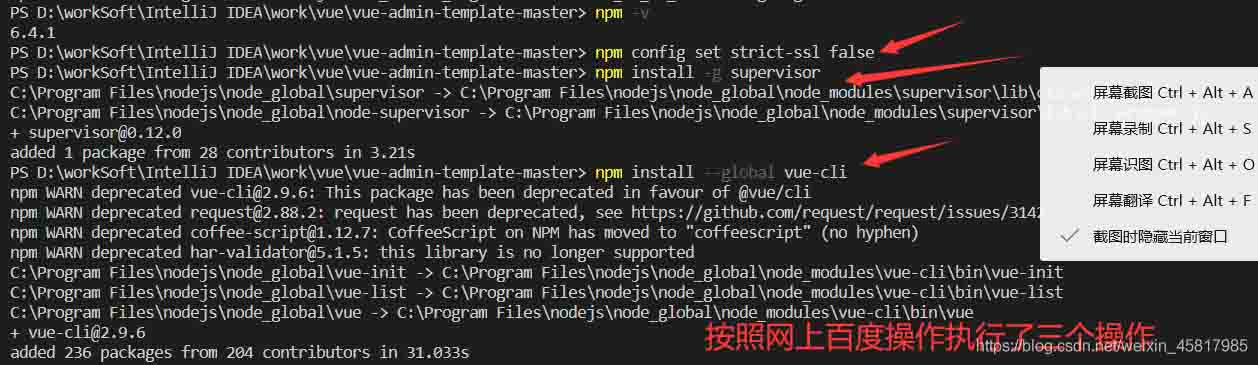
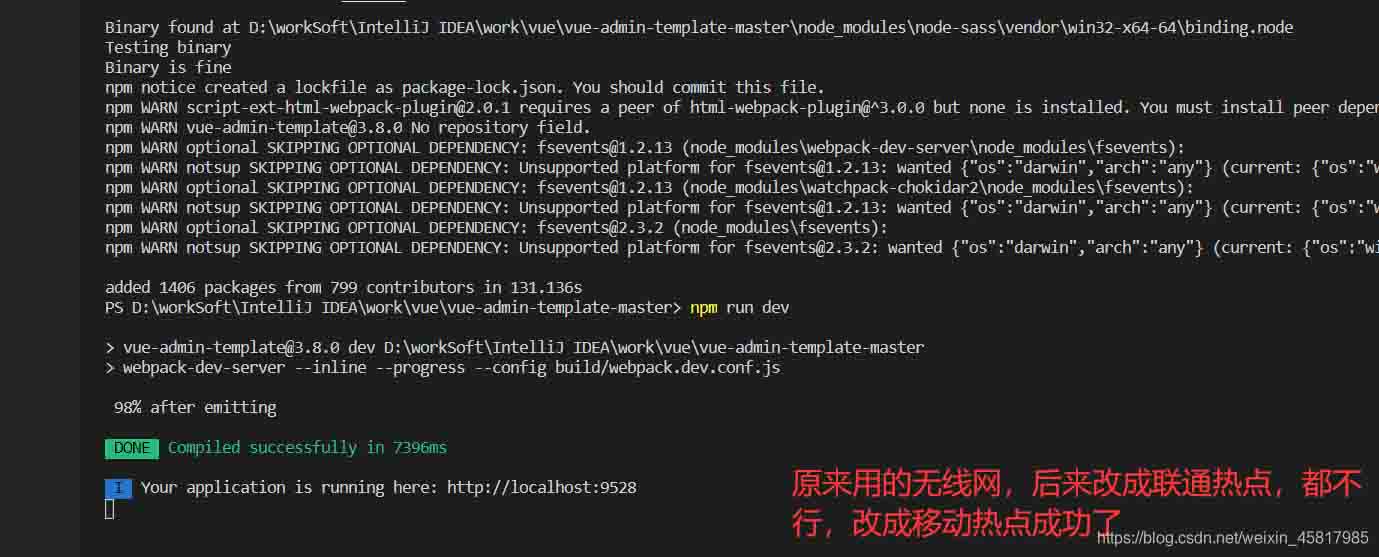
然后更改为移动热点,依次执行下面图片语句就可以了(不懂是哪一个起了作用)